ClanBite Sign in with Google
Features

Two apps in one, made for Indian kitchens

ClanBite plans your family's meals and runs your home food business. Use one side or both. Every picture below is a real ClanBite screen with made-up demo data.

Family meal planner

Decide what to cook, without the daily argument

One shared plan for breakfast, lunch, snack and dinner. Everyone sees it, the right people can change it, and ClanBite keeps the variety going.

The week at a glance

Every day shows breakfast, lunch, snack and dinner on one card. Tap any meal to fill it or change it. The Today button brings you back to today from any screen.

  • A day, a week or a month ahead
  • Works on phone and computer
  • Eating out and order-in days count too
  • Two phones on one family see each other's changes within about 20 seconds
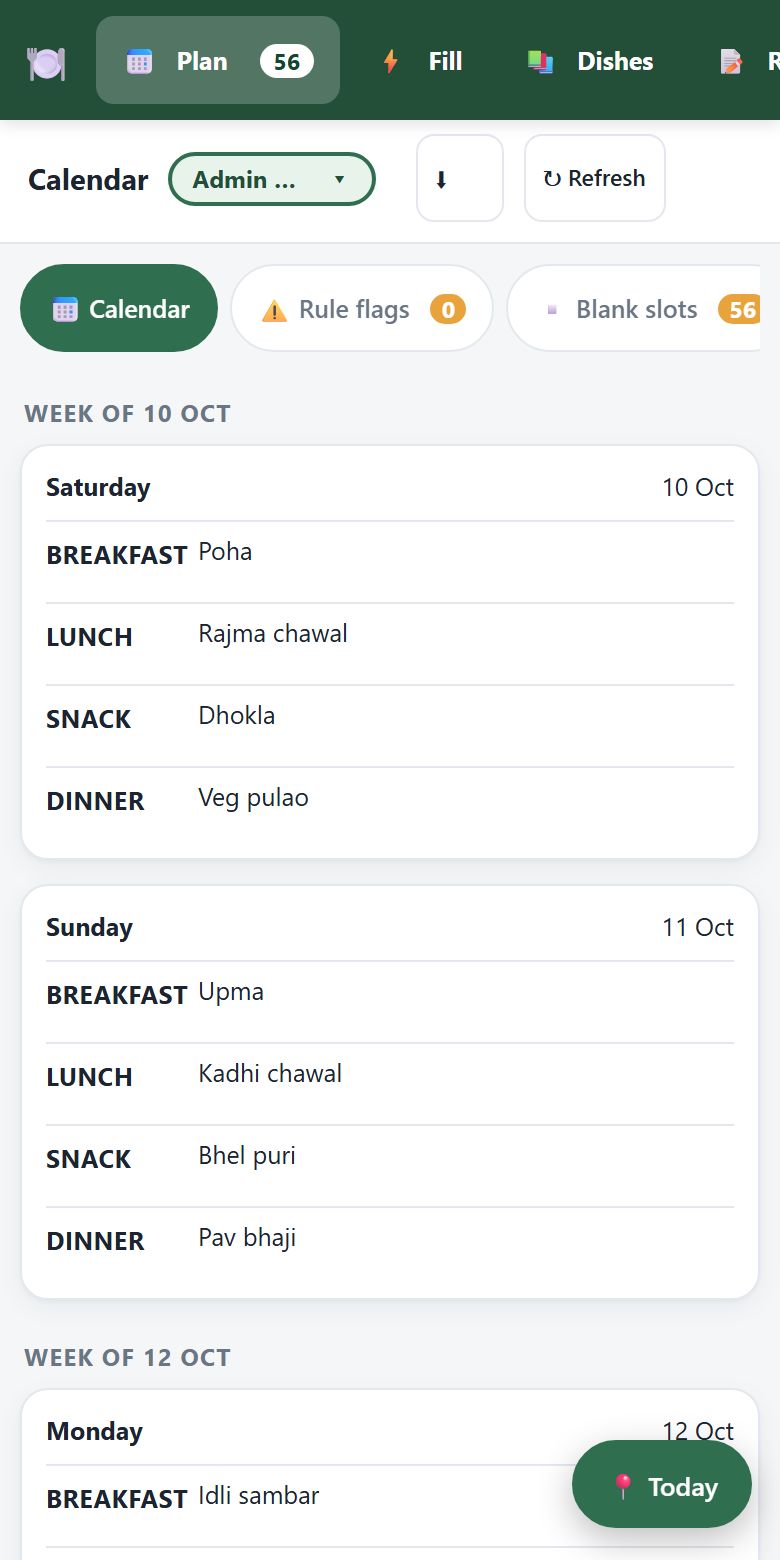
ClanBite family calendar with a planned week

One tap picks a dish that fits

Tap an empty meal and ClanBite offers top picks from your own dishes, with when you last had each one. It warns you before a repeat comes too soon.

  • Your dishes, your chefs or new ideas from the internet
  • A single dish or a full meal of 2 or more dishes
  • Tap a planned meal to edit the dish or copy it to another day
ClanBite dish picker with top picks

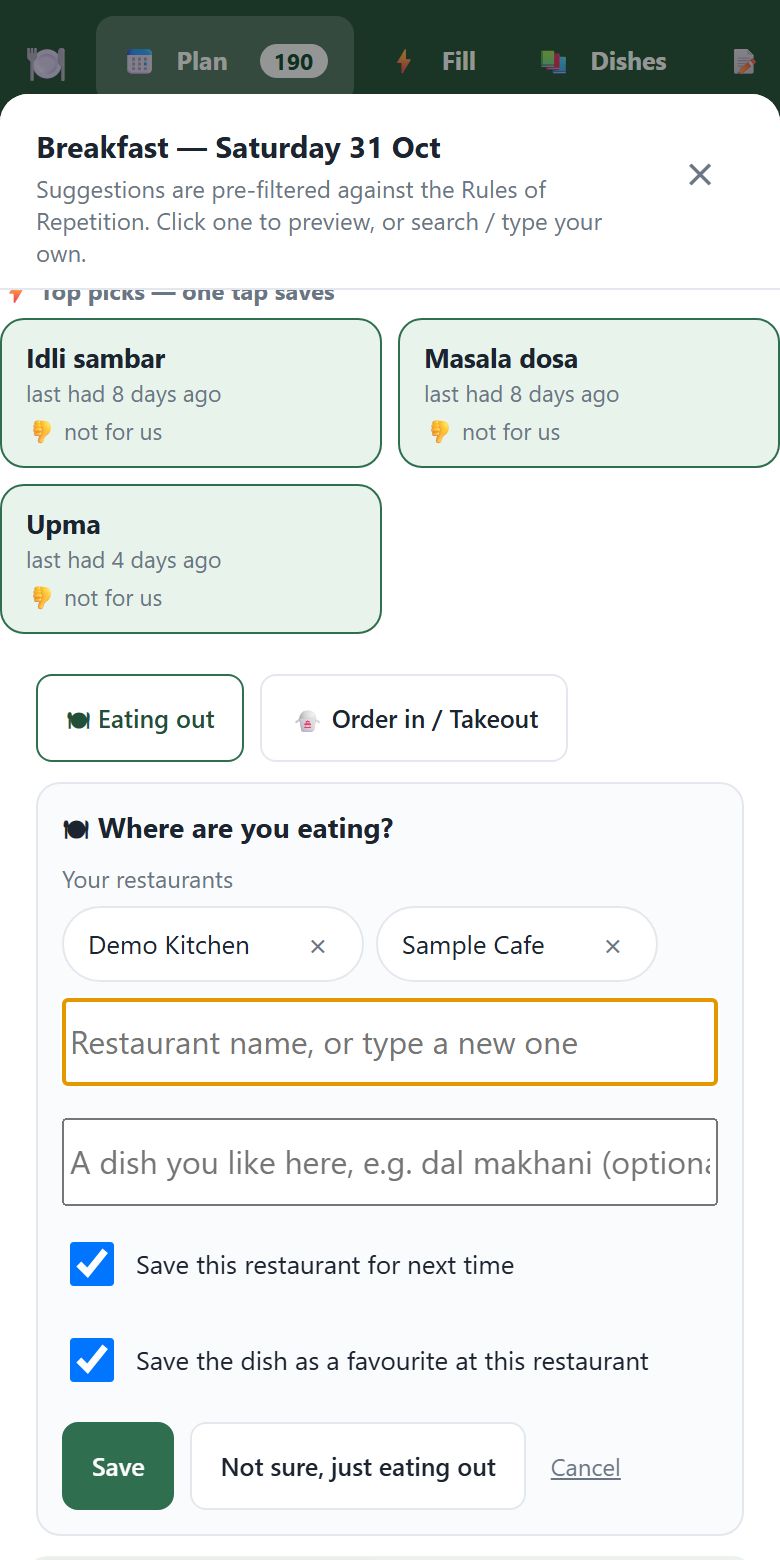
Eating out? Say where

Tap Eating out or Order in / Takeout and ClanBite asks which restaurant. It remembers your places and the dishes you like at each one, so next time it is one tap.

  • Your restaurants show as chips; tap the x to hide one
  • Save a favourite dish at each restaurant
  • Edit the list any time in Settings, My restaurants
ClanBite asking which restaurant for an eating out meal

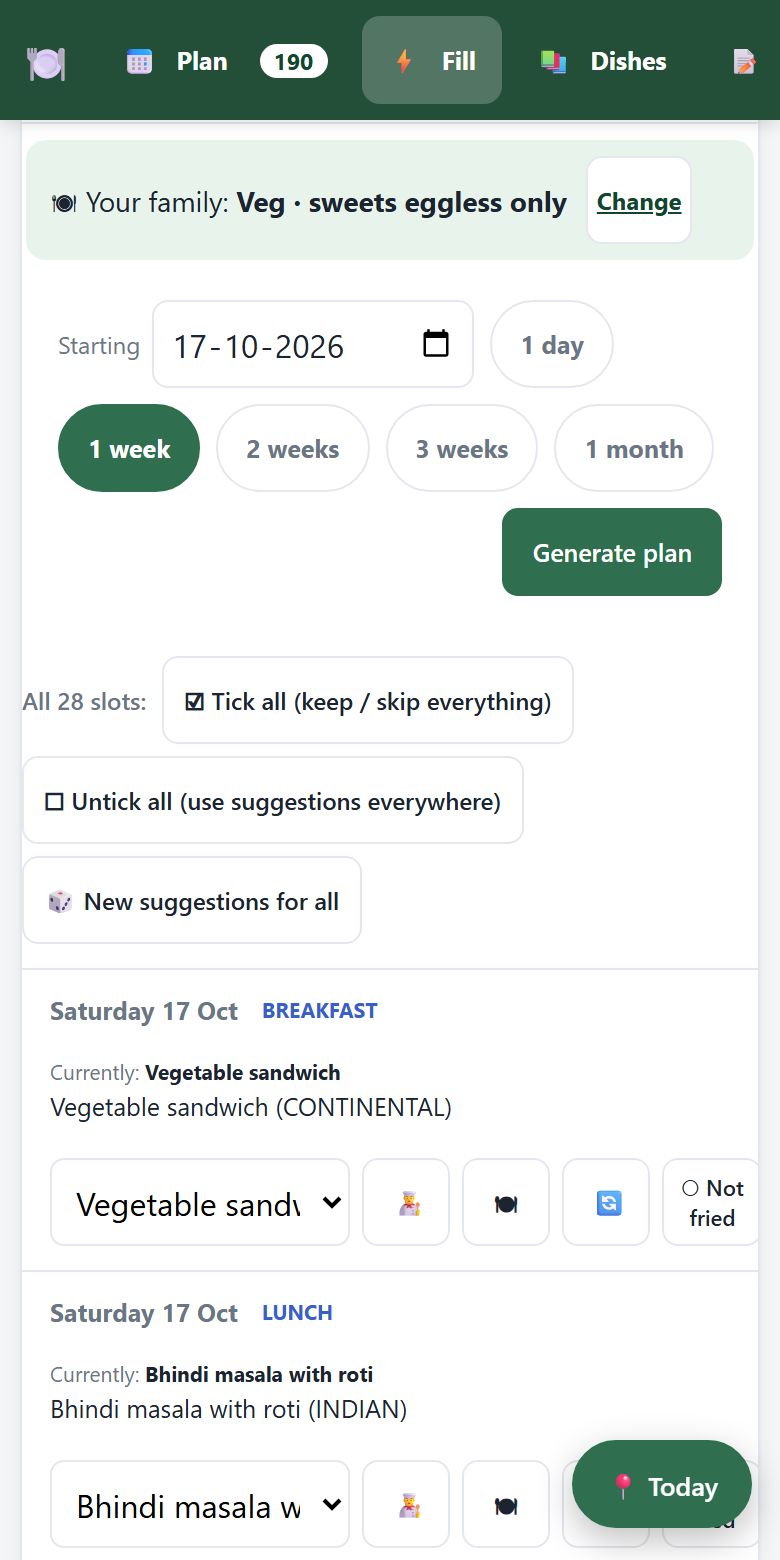
Auto-Plan fills the whole week

Choose a start date and how far ahead, then Generate plan. Every empty meal gets a suggestion. Keep it, swap it, or roll new ideas before you save.

  • 1 day to 1 month in one go
  • Follows all your rules and food needs
  • Chef Auto-Plan does the same with your favourite YouTube chefs
ClanBite Auto-Plan preview for one week

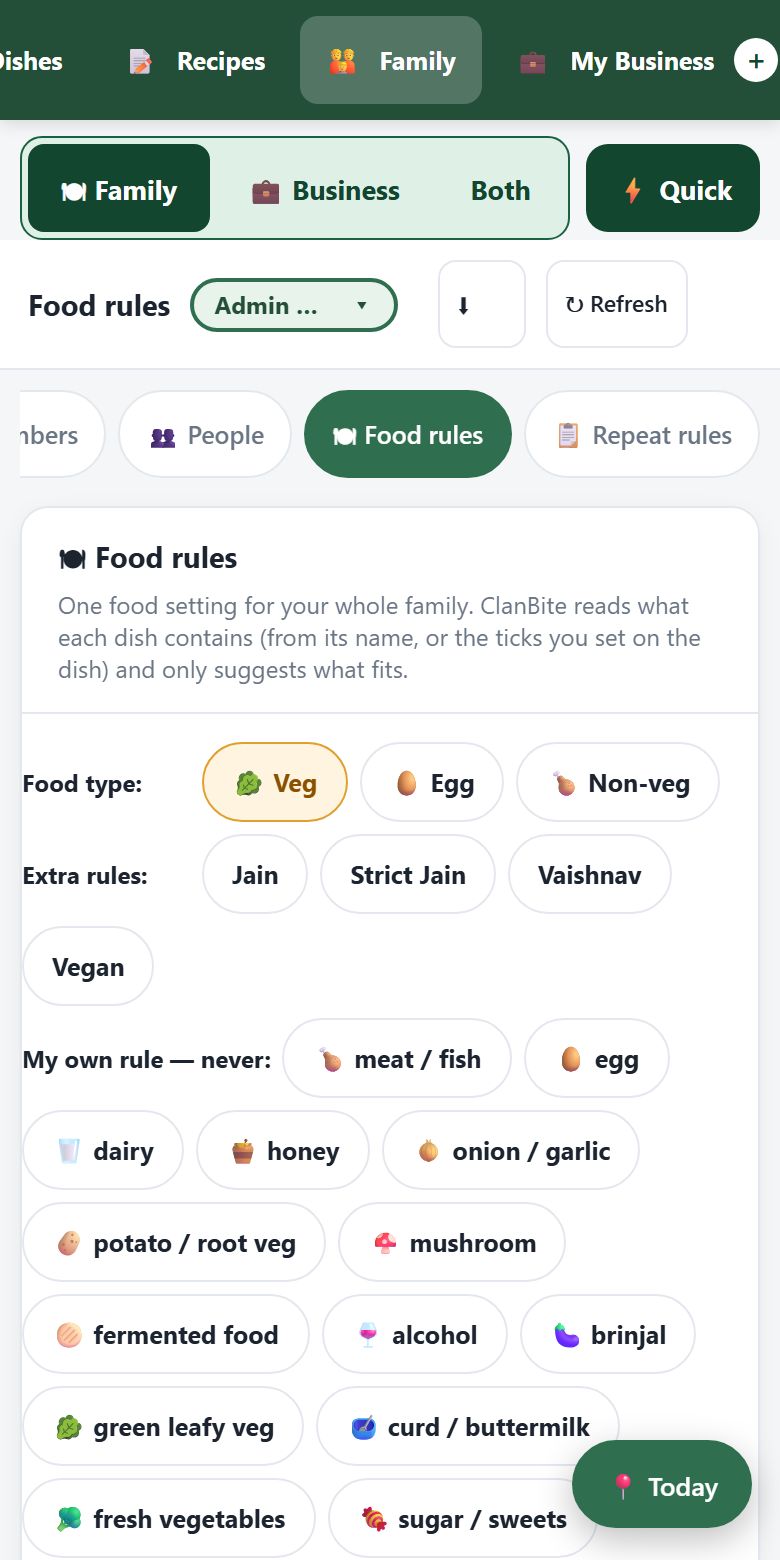
Your food rules, respected everywhere

Pick Veg, Egg or Non-veg, then add Jain, Vaishnav or Vegan, or your own "never" list such as onion and garlic or mushroom. Every suggestion follows it.

  • Eggless or egg-OK sweets
  • Plain-words repeat rules: "noodles minimum 7 day gap"
  • Each person's needs, like diabetic-friendly or allergies
ClanBite food rules screen

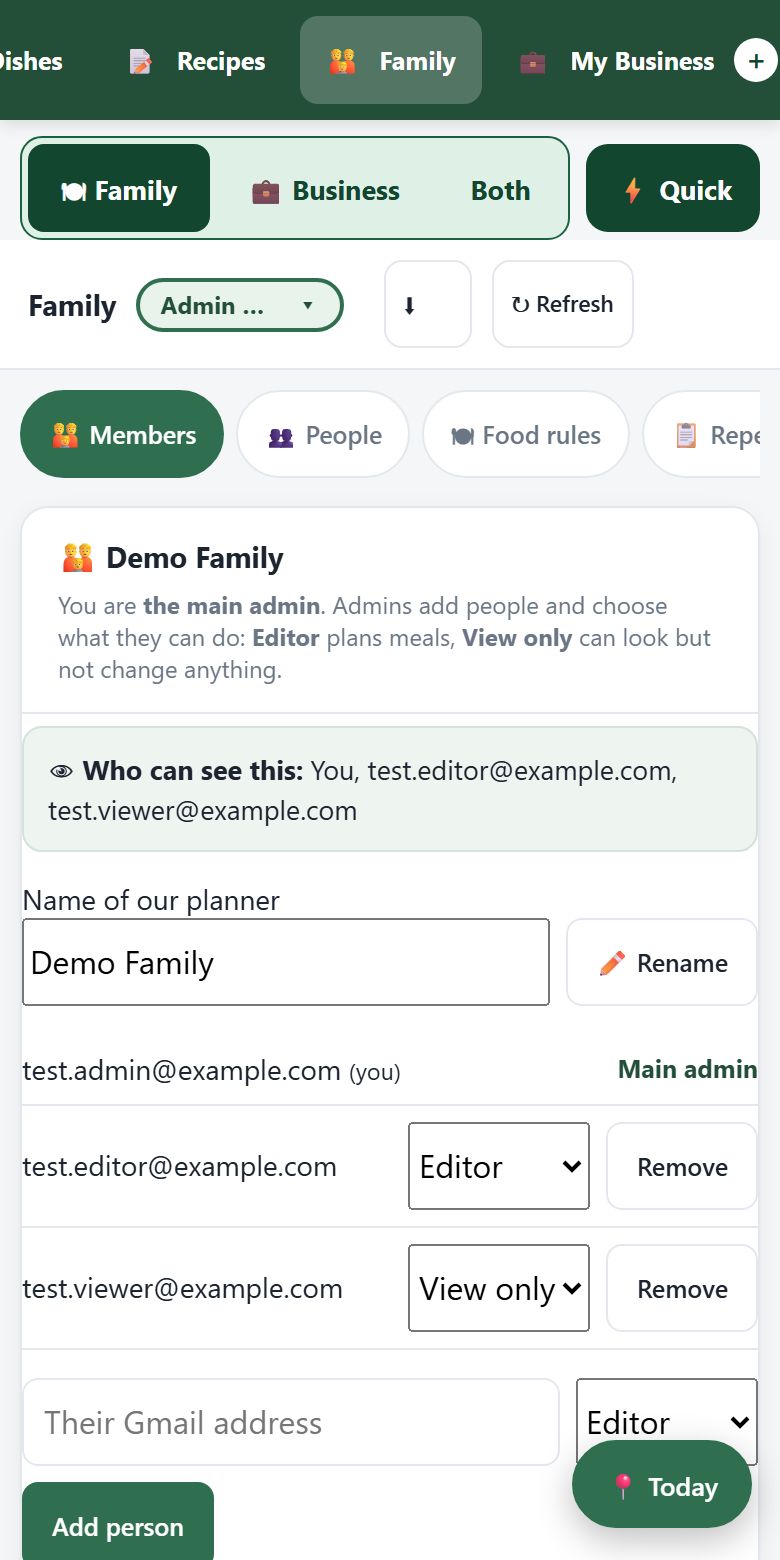
The whole family, with the right roles

Invite people by their Gmail with a short link or a 6-letter code on WhatsApp. They sign in and land straight in the planner. Admins manage, editors plan, and view-only members just look.

  • Change or remove anyone except the main admin
  • Add people by name, no Gmail needed, for their food needs
  • The planner stays in the admin's own Google Drive; a member taps one Google file window the first time to open it
ClanBite family members and roles

Recipes from the chefs you follow

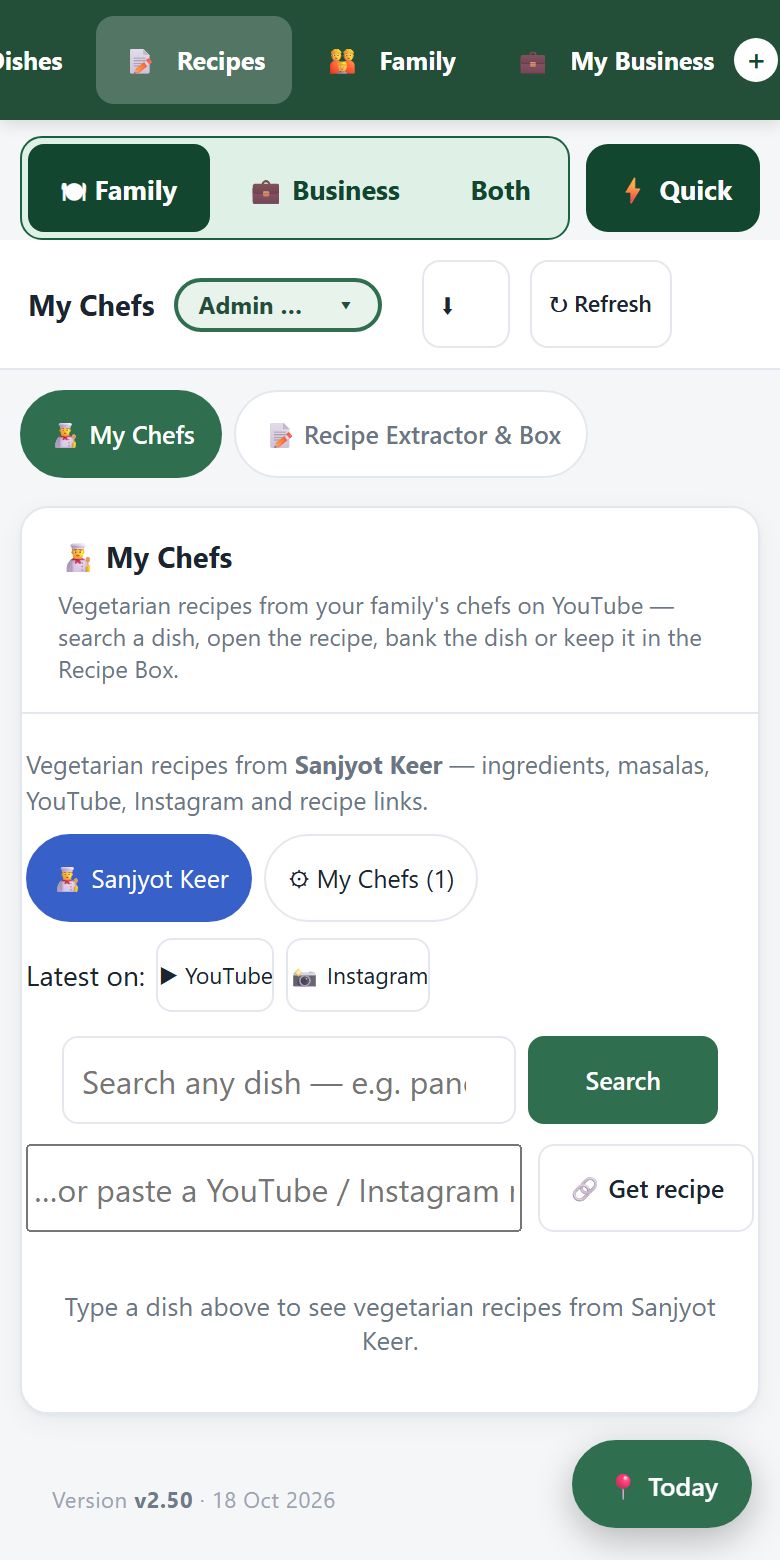
Add up to 20 YouTube chefs. Search a dish across all of them, open the recipe with its ingredients, and save it to your dishes or your Recipe Box.

  • Recipe Extractor reads any recipe link
  • Scale servings, print or save as PDF
  • Import your own dish list from Word, Excel, PDF or a text file, or paste it
  • Save your meal plan as an Excel file, a Google Sheet, or a tab in your planner
ClanBite My Chefs screen

Every setting in one place

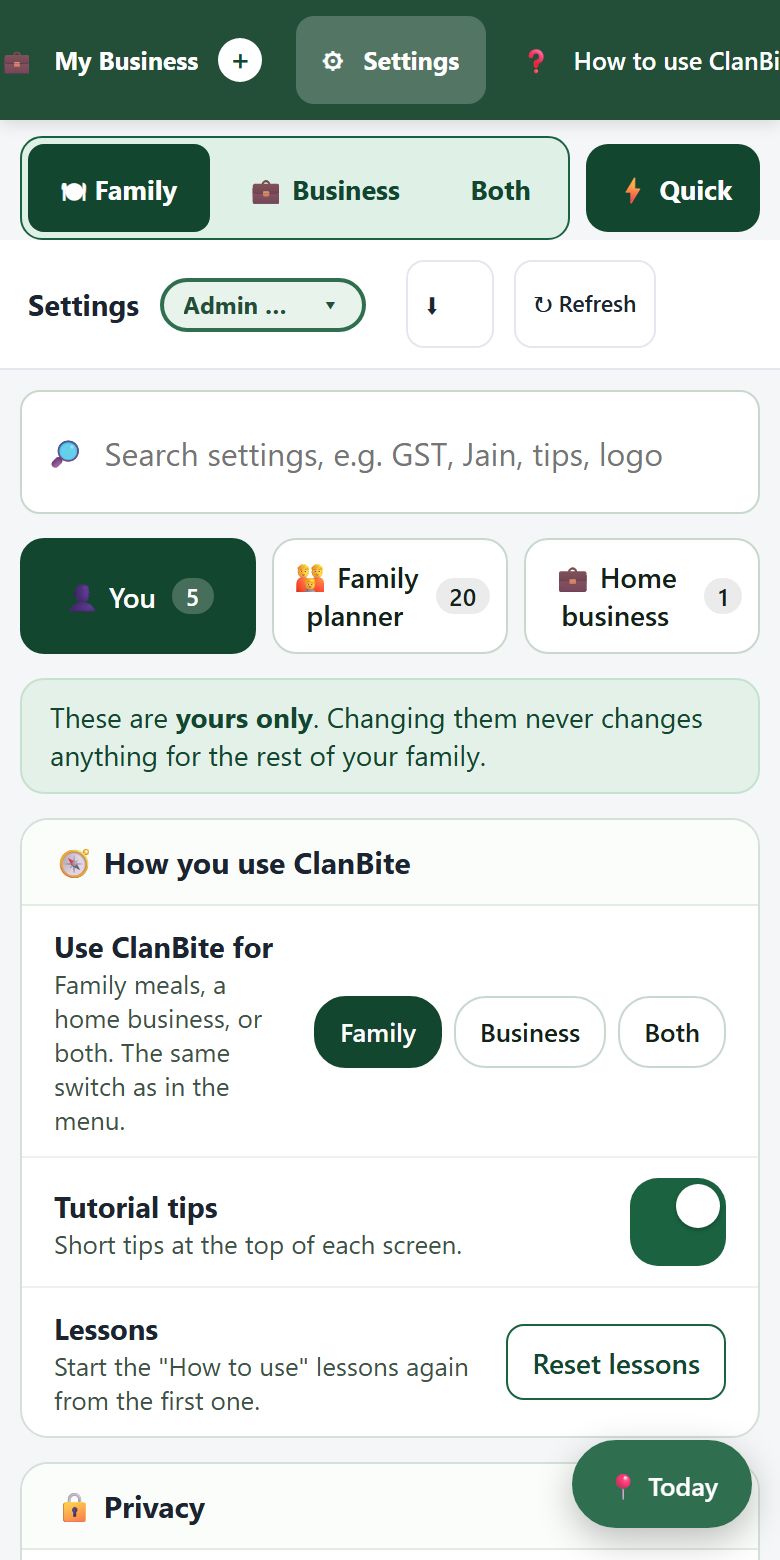
The Settings screen holds every switch for you, your family and your business. Type a word in the search box to jump to it. Switches save the moment you tap them.

  • Three tabs: You, Family planner and Home business
  • Use ClanBite for Family, Business or Both, from the menu or here
  • Sign out, or use another Gmail, from the account panel
ClanBite Settings screen with a search box and three tabs
Home business tools

Run your home kitchen like a professional

For home bakers, sweet makers, tiffin services and snack sellers. Orders, clients, bills and money in one private place, separate from the family planner.

Every order in one book

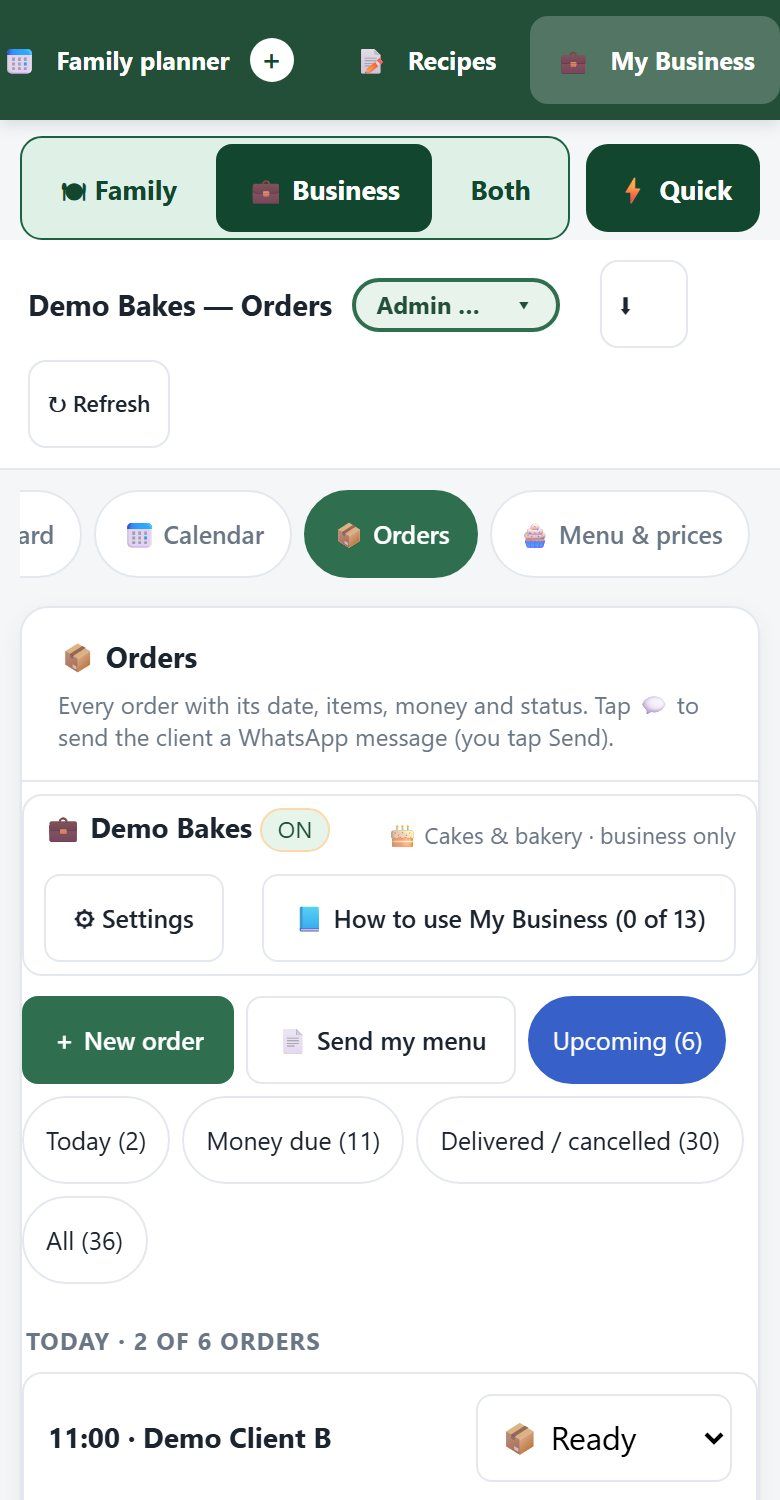
Client, items, cake details, due date and time, pickup or delivery, advance and balance. Filter by upcoming, today or money due.

  • Status: new, confirmed, ready, delivered
  • Daily order limit and pickup time slots
  • Clients need no app, just a name and phone
  • Menu with search, sizes and smallest orders
ClanBite business orders screen

WhatsApp messages written for you

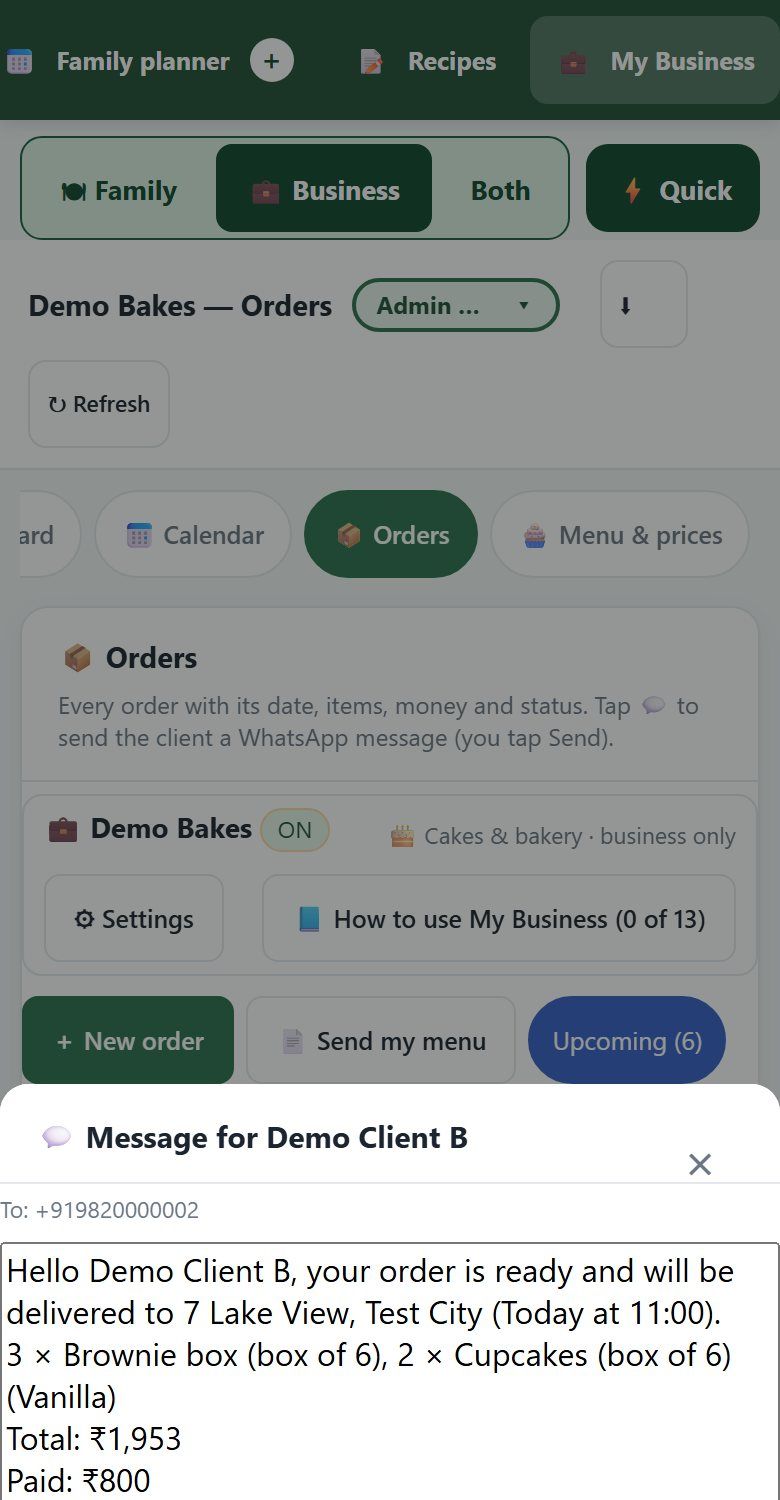
Tap WhatsApp on any order. ClanBite writes the right message for its status, with the latest amount paid and due. Edit it, then send it yourself.

  • Order confirmed, ready for pickup, delivered and thank you
  • Asks "has the client paid?" when you mark it delivered
  • Copy the message if you prefer
ClanBite WhatsApp message window

A calendar of who ordered what

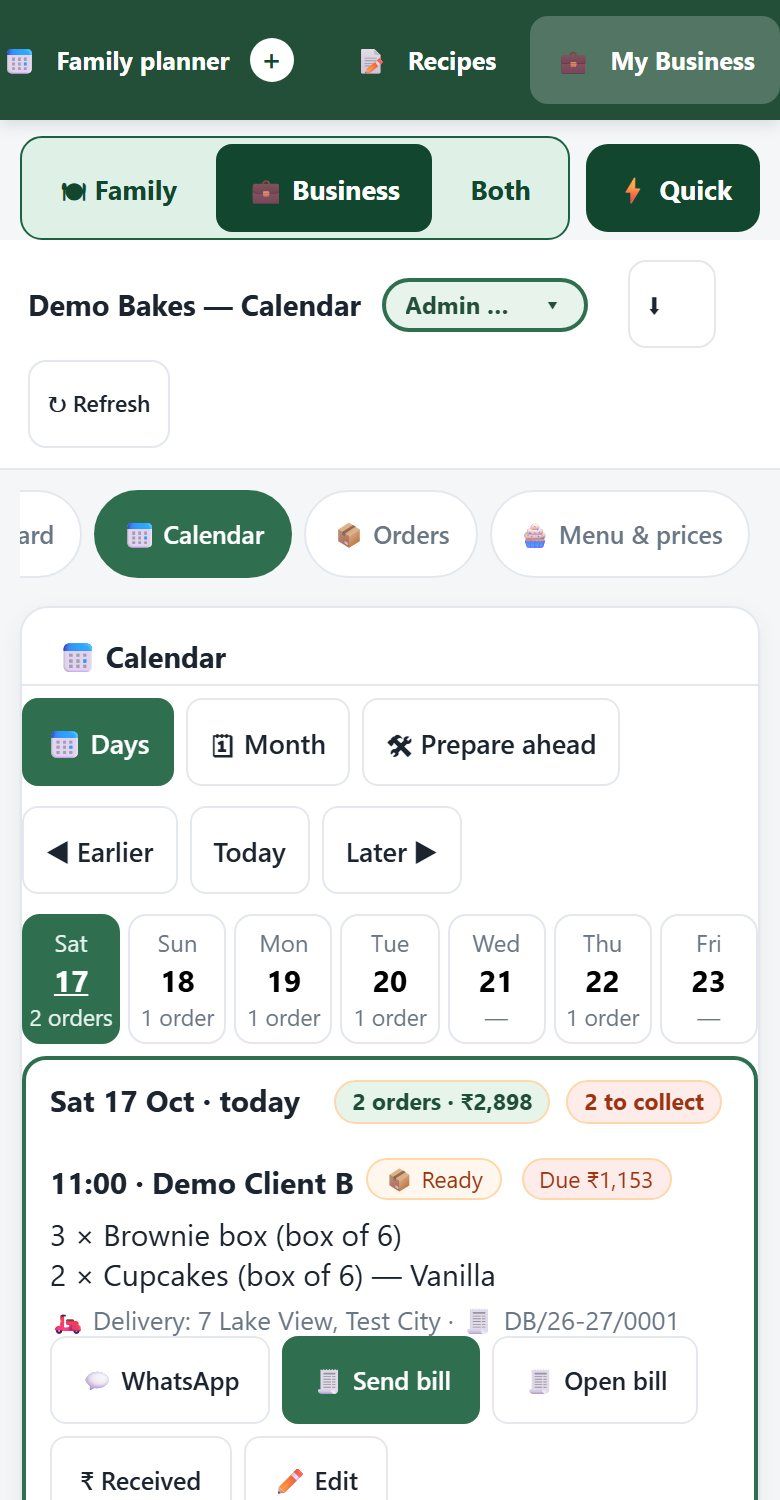
Each day lists its orders in full: time, client, items with cake details, pickup or delivery, and money due. A work plan works back from pickup time, with one shopping list for every order.

  • Days or month view; on a computer the days sit side by side
  • Prepare ahead: what to make and when
  • Family sees only a "busy day" note, if you allow it
ClanBite business calendar

Bills your clients will keep

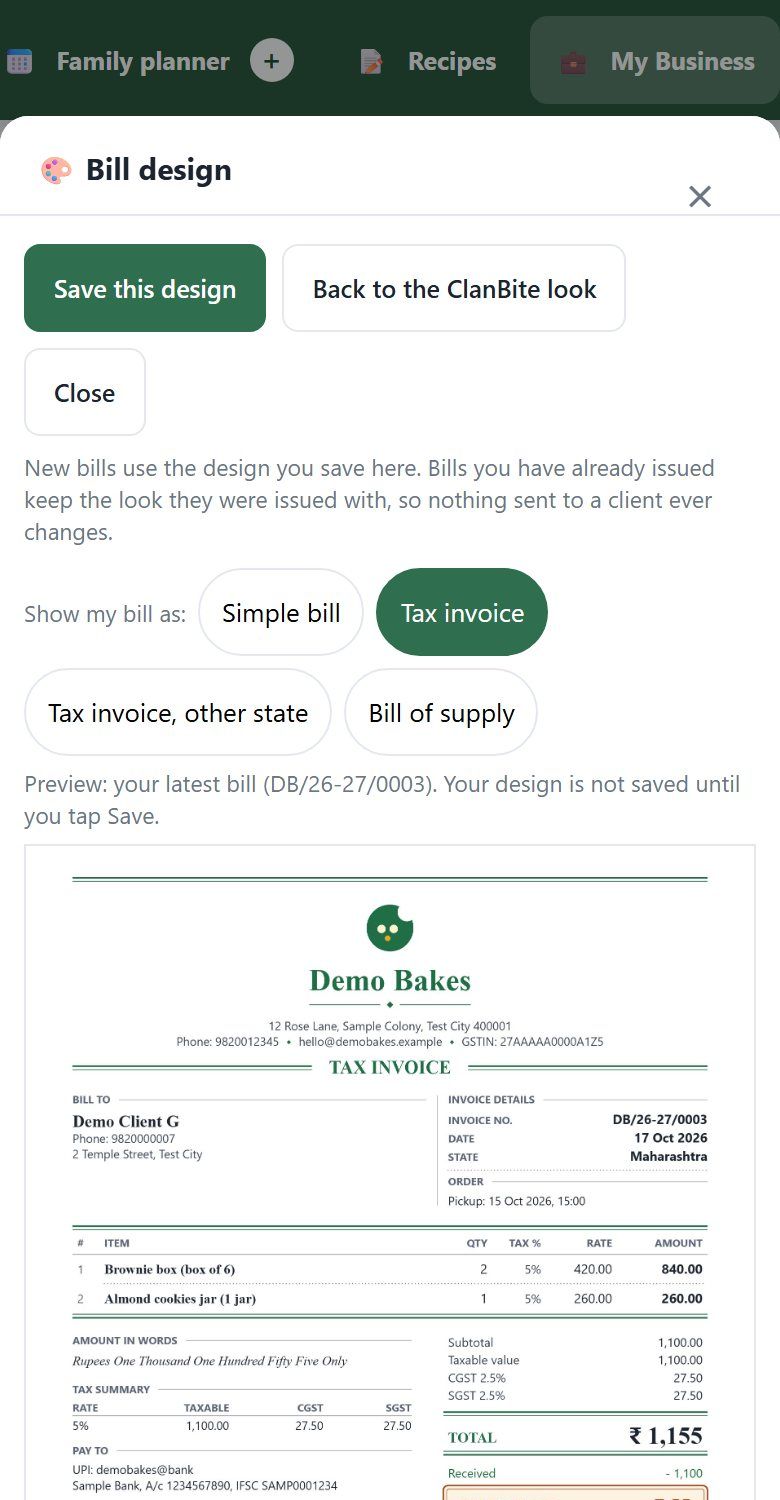
Make a bill from any order. Pick one of ten looks, tap Match my logo for your colours, or use a picture of your own bill. Send it as a PDF on WhatsApp, with a link to the bill, or print it.

  • GST tax invoice, bill of supply, or a simple bill with no tax words
  • Discount, delivery charge, terms and your UPI
  • Bills are numbered (or use your own number)
  • Made a mistake on an issued bill? Fix it
ClanBite bill design window

Know how the business is doing

The dashboard shows today's sales, cash in, money still owed and what to deliver today. Switch to the scorecard, money and dues, or growth and seasons.

  • Week, month, quarter or year
  • Best sellers, repeat clients and who still owes you
  • Share a summary on WhatsApp
ClanBite sales dashboard

A menu card you can share

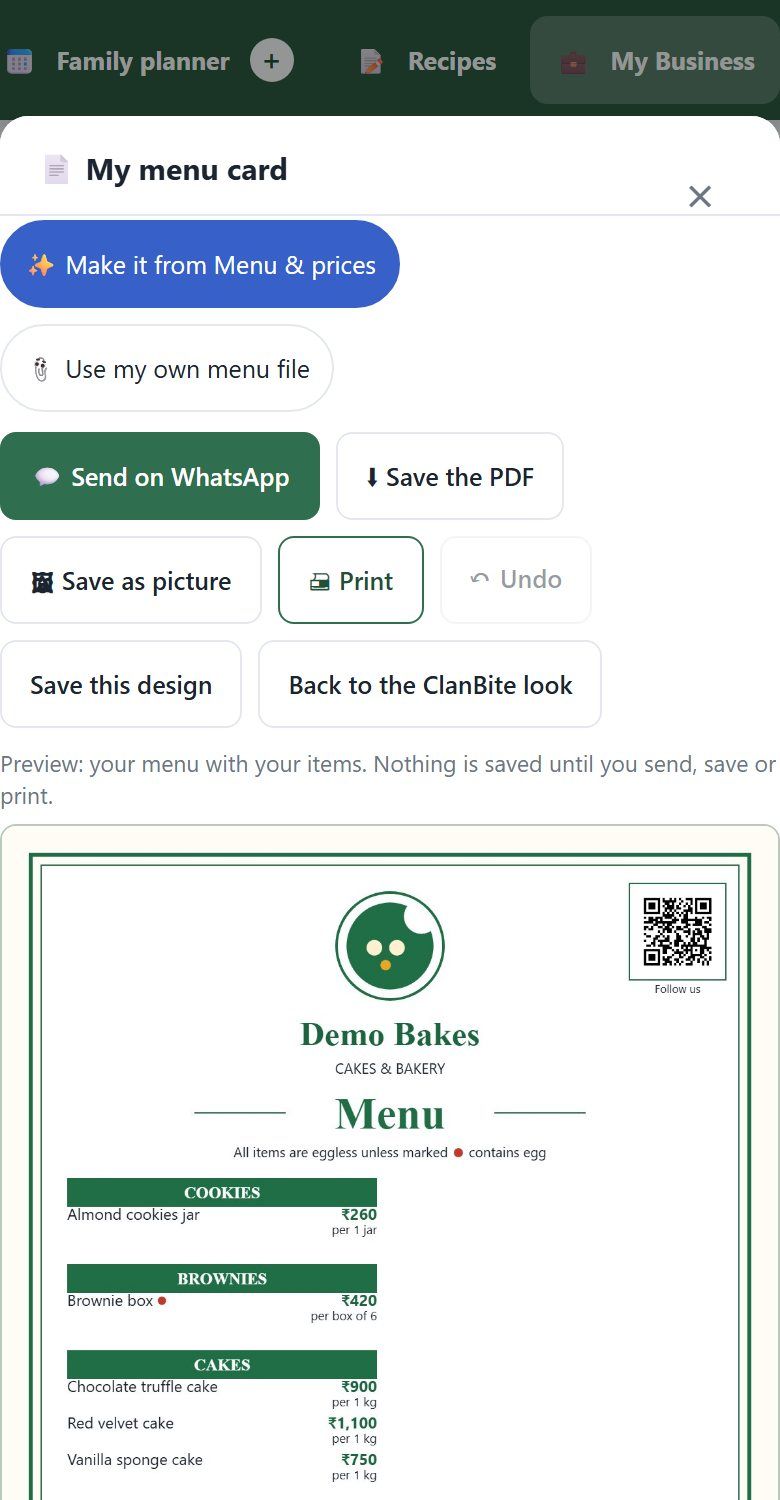
ClanBite turns Menu & prices into a menu card. Pick one of 12 looks, then your colours, a background, a font pairing and a photo spot. Share it on WhatsApp, or send it to one client from their order.

  • Your logo, phone, WhatsApp, Instagram and QR, tappable in the PDF
  • Save as a PDF or a picture
  • Undo any change before you save
ClanBite menu card design window

Profit, expenses and who owes whom

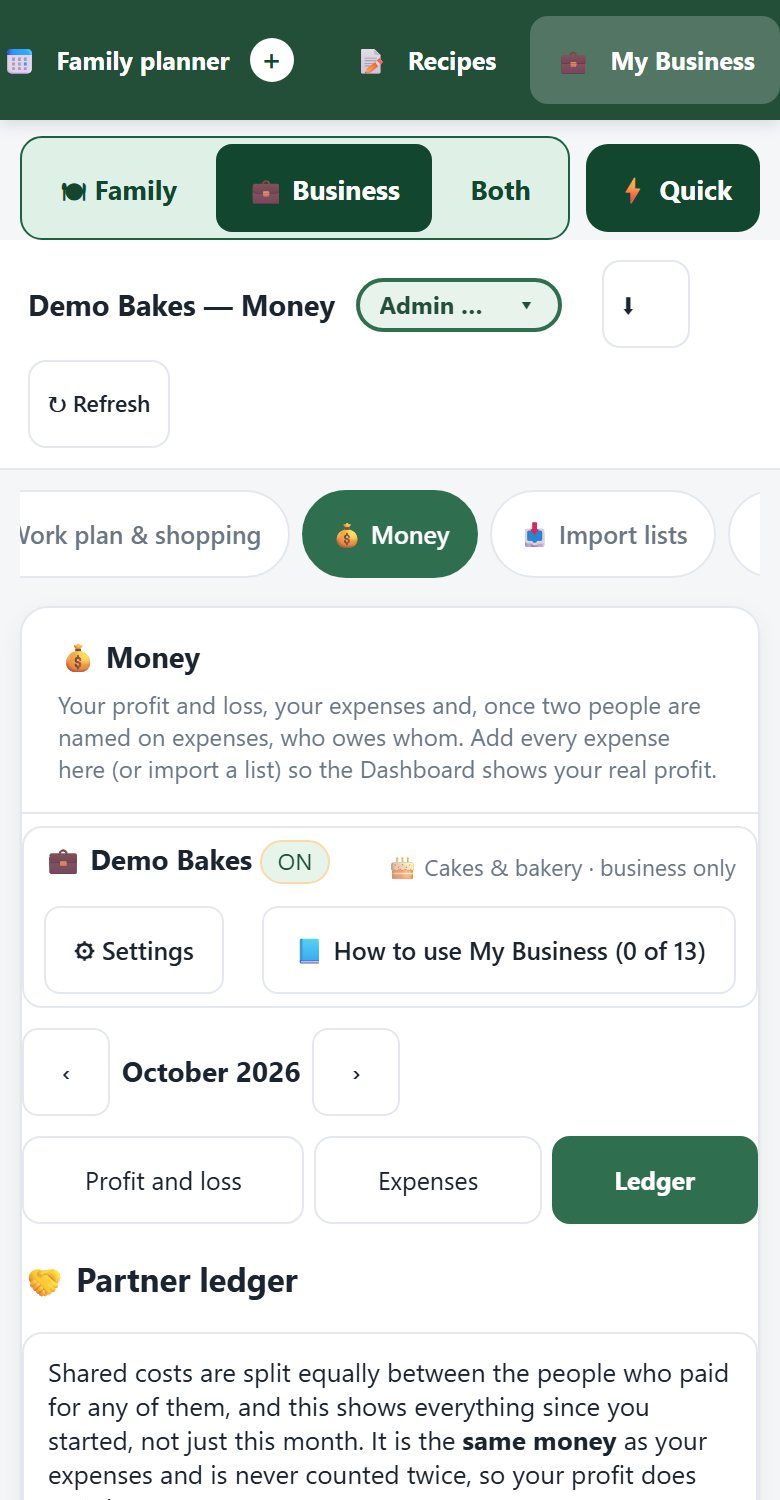
The Money page has three tabs: Profit and loss, Expenses and Ledger. Costs you mark "every month" are added with one tap. Name who paid, and partners can see who owes whom and settle up.

  • A settle-up is never counted as a business cost
  • Delete an expense by mistake? You can always put it back
  • Import expenses from a bill, a photo or a list
ClanBite Money page with the Ledger tab

Your brand, your QR code

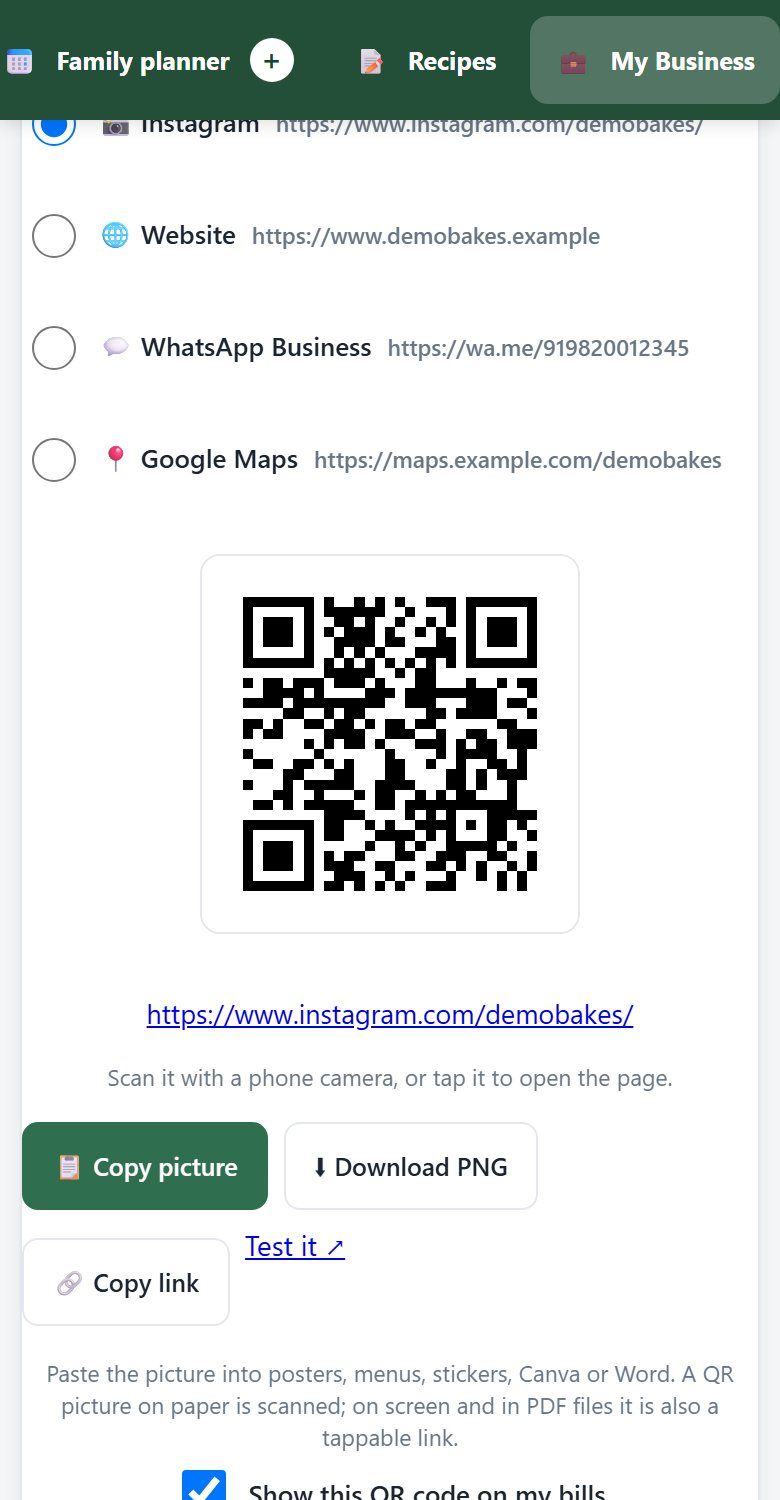
Drop in your logo and add your Instagram, website or WhatsApp Business page. ClanBite makes a QR code you can copy, download and print on bills.

  • Your logo and details on every bill
  • Optional "Follow us" link on WhatsApp messages
  • Your own recipe book, kept apart from family meals
ClanBite My Brand screen with QR code

Tiffin service made simple

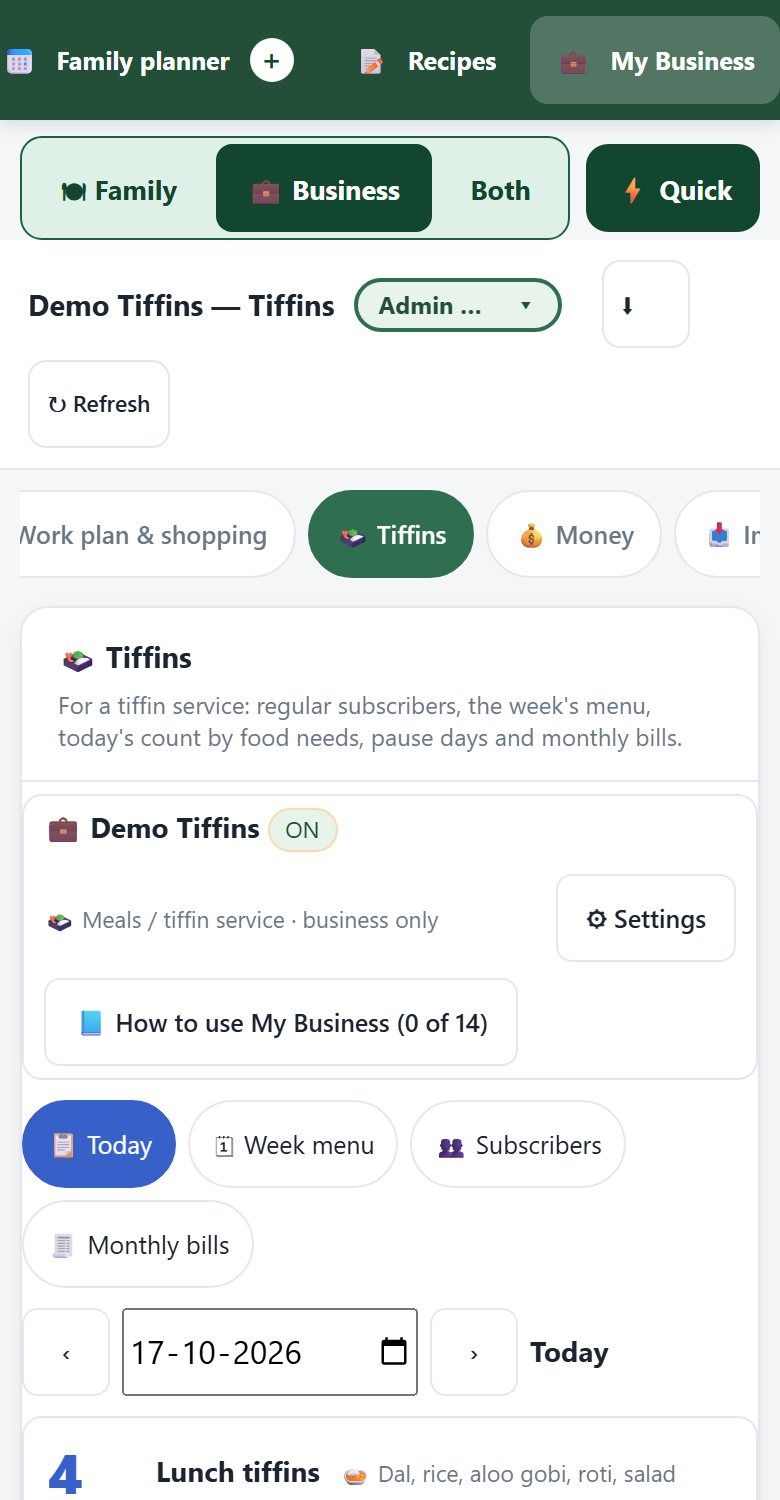
Run a tiffin kitchen? Tick "I run a tiffin service" in Business settings and the Tiffins screen appears; other businesses never see it. Keep your regular subscribers and the week's menu. ClanBite counts each day's tiffins by food need, skips paused days and makes the monthly bills.

  • Import your menu, clients, supplies and tiffin subscribers from a photo or file
  • Supplies and prices for your shopping list
  • Short lessons inside the app
ClanBite tiffin service screen

Private, secure, and yours

Your family planner and your business each live in a Google Sheet in your own (or your family admin's) Drive. We do not open or read them. ClanBite asks Google for only a few small permissions, and agrees them with you once.

Sign in with Google

Looking for something specific? Weekly meal planner · Home bakery orders and bills · Tiffin service manager · GST bill maker